
Launching Harley: A Public AI Chatbot for Every HCISD Stakeholder
TL;DR
- We launched Harley. Harley is a public AI chatbot deployed across 30+ HCISD websites via a single script tag (like Google Analytics)
- I replaced RAG with a skills-based architecture. I scraped 350+ HCISD web pages and converted them into skills, eliminating the need for a 24/7 vector database
- I automated the skills pipeline. I used Playwright browser automation and Google Gemini OCR to extract real page content (tabs, accordions, PDFs, Office docs), then AI formatted them into skills. No hallucinated content.
- I built a change tracker that keeps skills fresh. It monitors the CMS for page updates and I have it re-run the pipeline automatically.
- I'm running Gemini 3 Flash Preview (and 3.1 flash lite preview) via Vertex AI. I use context caching, LOW thinking level, and lazy skill loading to keep costs near zero
- I designed a 3-wave progressive loading system. Harley can load up to 15 skills per question across 3 waves, with Google Search as a fallback
- I implemented 3-layer safety system. I have OpenAI Moderation, LlamaGuard, and AI intent classification all running in parallel without blocking
- HCISD owns all the data. I run everything through Google's Vertex AI enterprise within the HCISD tenant
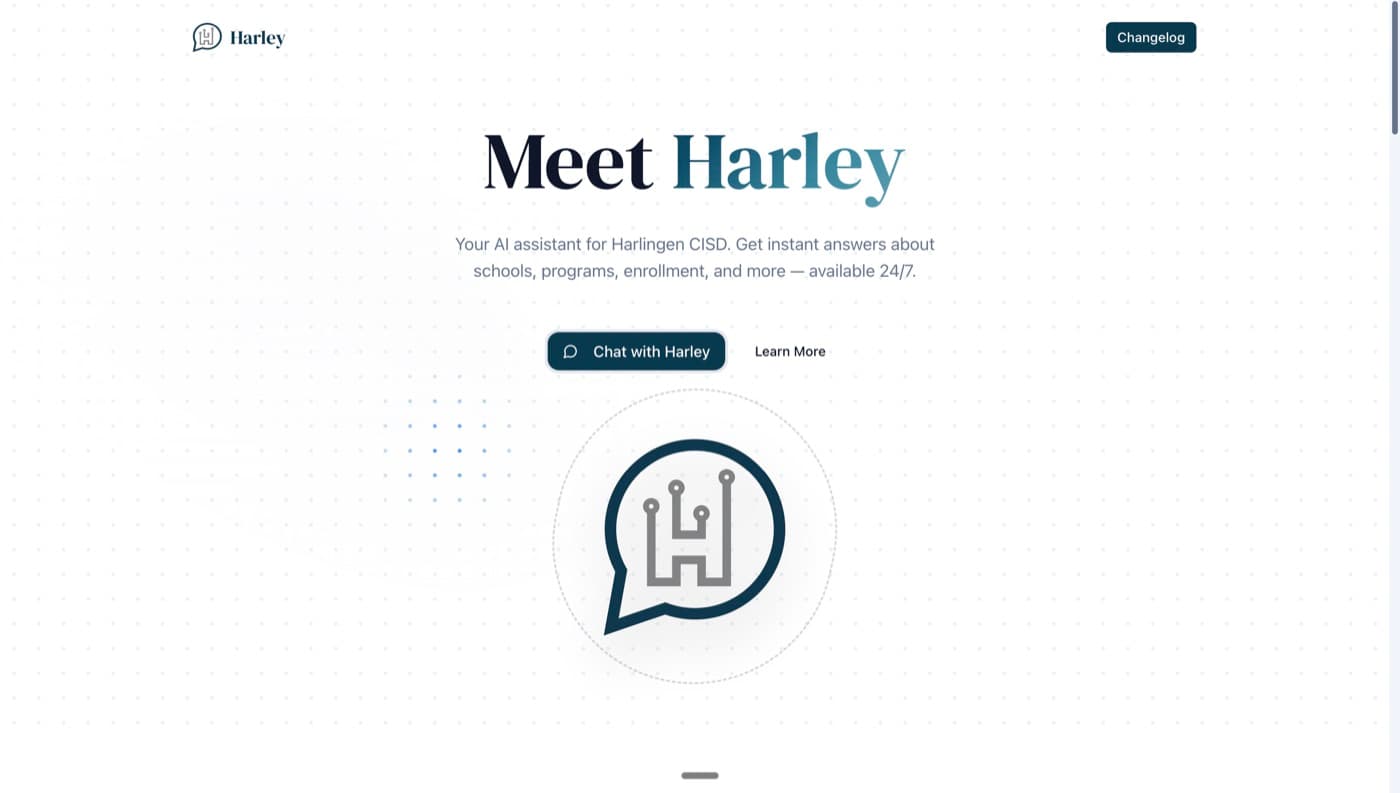
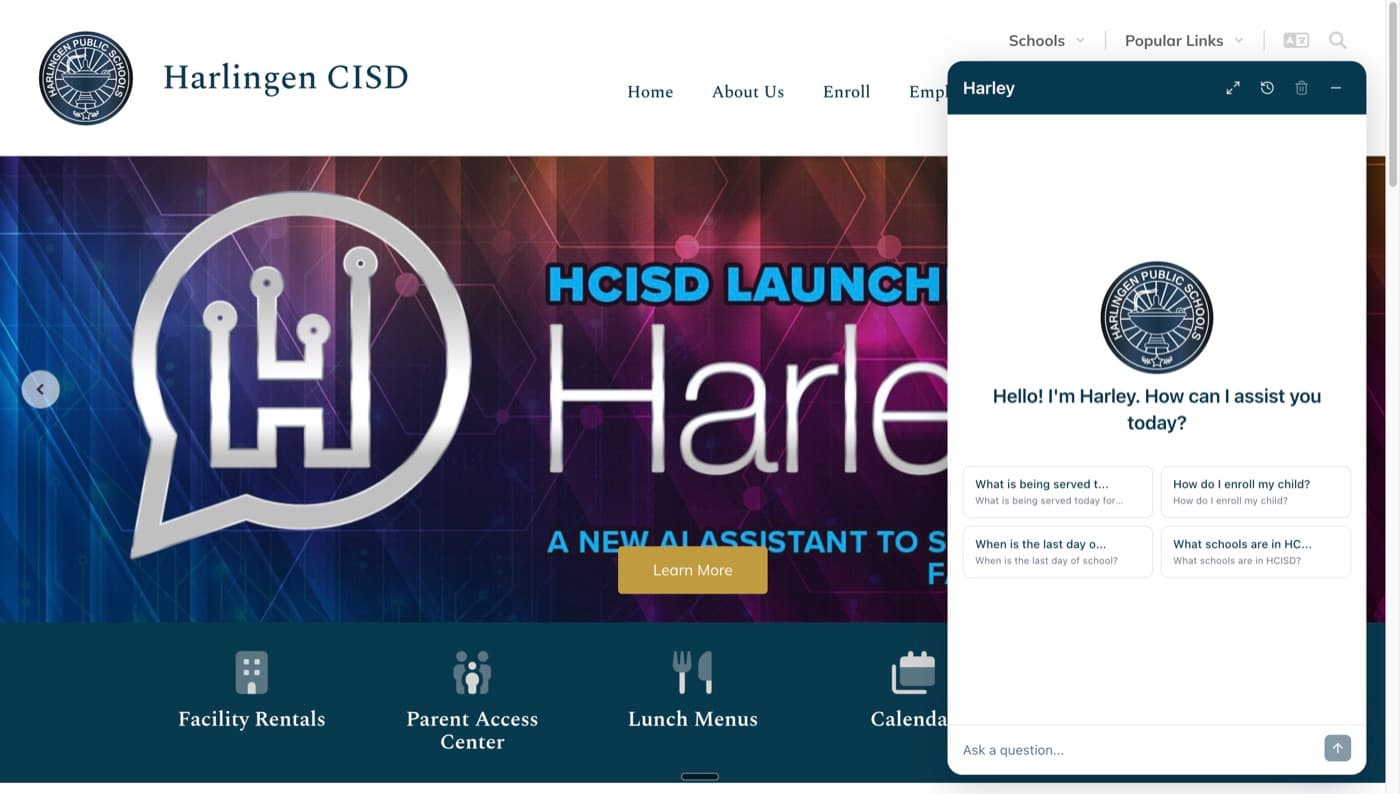
It's been over four months since my last post, but I've been hard at work. Today I'm super happy to announce that Harley is live. It's a public AI chatbot now available on every active HCISD website. Students, parents, teachers, administrators, community members, and anyone can interact with Harley. It sits as a small chat bubble at the bottom right of each site, and with one click, you're talking to an AI that actually knows HCISD.
We deployed Harley across 30+ sites, including every active school campus site, the main hcisd.org, and the new Choose HCISD site. That's roughly 29 schools plus district-level sites, all running Harley simultaneously. This is a district-wide launch and I could not be more excited about it. Try it out here: hcisd.org
Why Not RAG? The Cost Problem
If you've read my earlier posts, you know the internal Harley was built with a RAG (Retrieval-Augmented Generation) system. RAG is powerful. You embed documents into a vector database, and when someone asks a question, the system finds semantically similar chunks and injects them into the prompt. It works great.
But here's the thing nobody talks about: RAG is expensive at scale. That vector database needs to be running 24/7. It doesn't sleep. It doesn't take weekends off. Whether someone asks Harley a question at 2 AM or 2 PM, that database has to be warm and ready. For an internal tool used during business hours, that's manageable. For a public-facing chatbot on 30+ websites that anyone can access at any time? The costs add up fast.
I needed a different approach. Something that could give Harley deep knowledge about HCISD without the ongoing infrastructure cost of a vector database running around the clock.
The Skills Protocol: A Better Way
That's when I discovered the skills protocol. If you're not familiar with it, here's the idea: instead of embedding documents into vectors and doing semantic search at runtime, you convert your knowledge into skills. These are structured prompts that get injected into the AI's context when needed.
Each skill follows a simple YAML format:
The name is a short identifier, just one to three words. The description is a summary under 500 characters that helps the AI understand what the skill contains. And the body? That's the actual content from the web page, converted to clean, well-organized markdown.
I've indexed every page on hcisd.org. That's roughly 355 pages turned into 355 skills. Each page is a skill. Each skill is real content extracted directly from the website. No hallucination. No guessing. The AI is working with the same information that's on the actual site.
How Skills Work at Runtime
Here's where it gets clever. When someone starts a conversation with Harley, only the skill summaries (name + description) are loaded into the system prompt. Not the full content. This keeps the initial token count low and costs minimal.
When you ask Harley a question like "How do I enroll my child?", the AI sees a list of available skills and recognizes that the "Enrollment" skill is relevant. It then makes a function call, load_skill("enrollment"), and the backend fetches the full skill content from Firestore and injects it into the conversation. Now Harley has the complete enrollment page content and can give you an accurate, grounded answer.
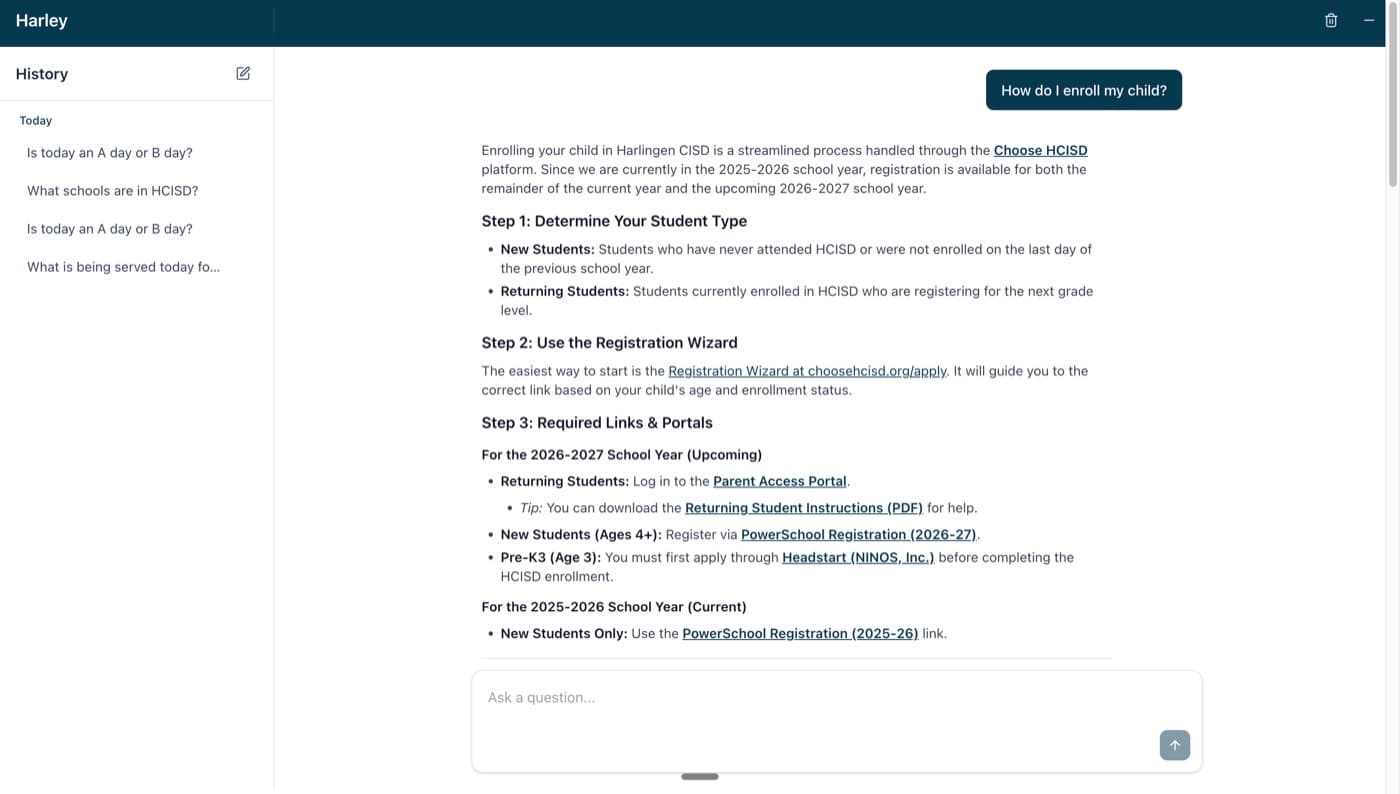
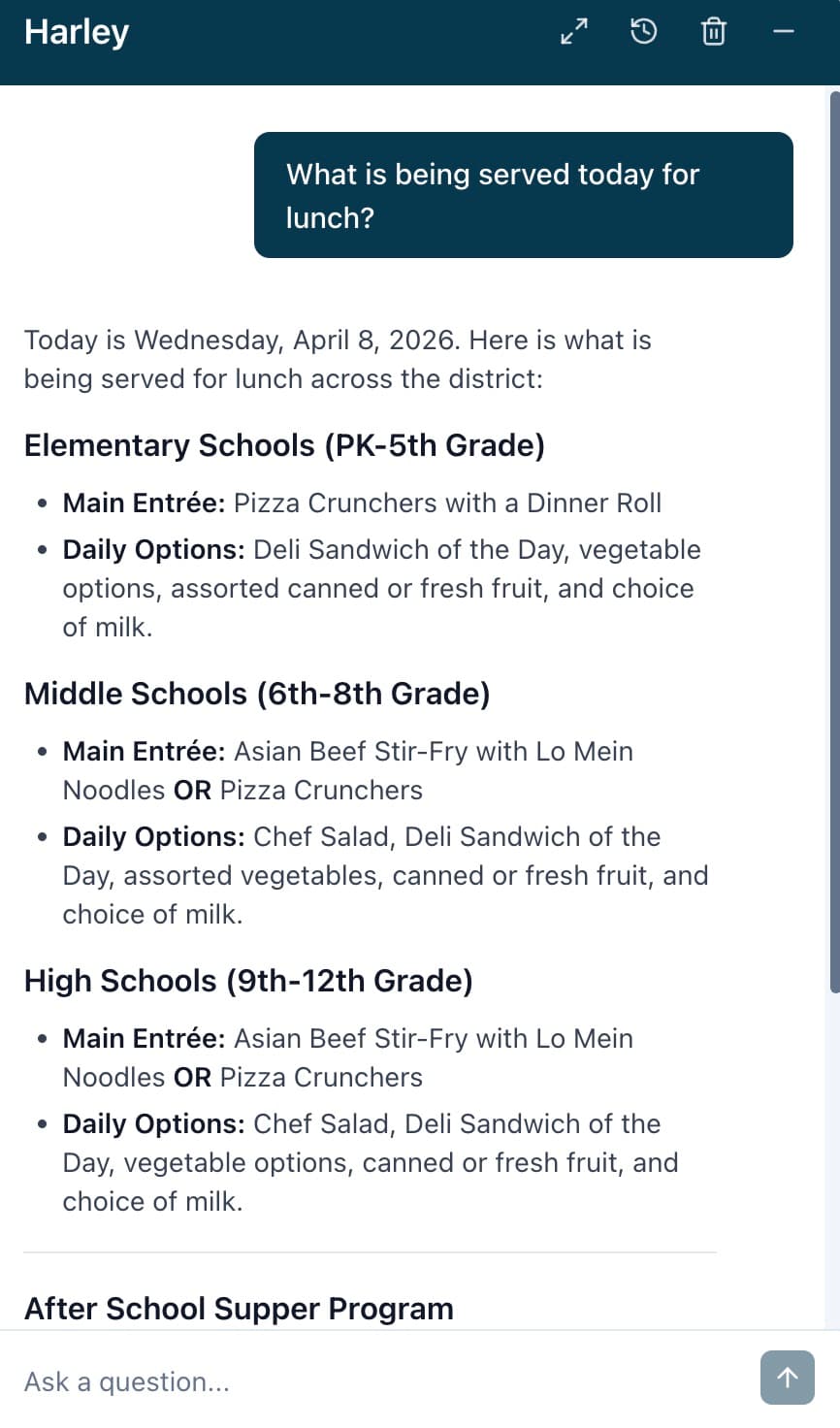
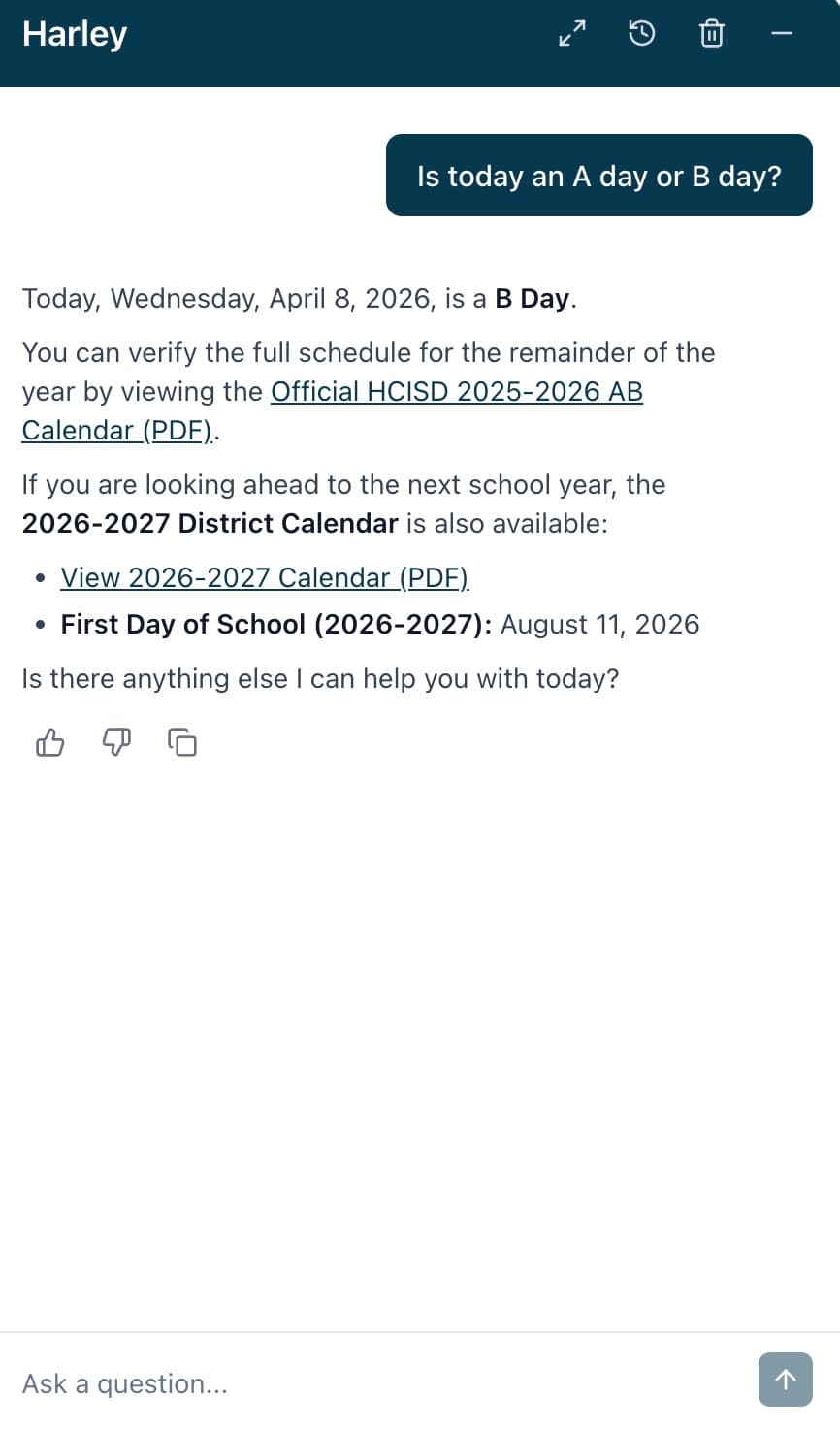
The AI isn't searching the web. It isn't guessing. It's reading the actual content from hcisd.org, converted into a format it can understand perfectly. Here are a couple more examples of Harley in action:
Wave-Based Loading: Going Deeper
Sometimes one skill isn't enough. Maybe someone asks a complex question that spans multiple topics. That's where wave-based loading comes in.
Harley uses a 3-wave progressive loading system:
- Wave 1: Load up to 5 skills based on the initial question. If Harley can answer confidently, it responds.
- Wave 2: If more context is needed, Harley gets nudged toward Google Search for supplementary information, then can load up to 5 more skills.
- Wave 3: A final wave of up to 5 skills, with a stronger instruction to synthesize everything and respond.
That's potentially 15 skills loaded per question, covering a massive amount of HCISD knowledge. If all three waves complete without a satisfactory answer, there's a final fallback that forces a text response with the district's phone number so the user always gets help.
Between waves, there are transition prompts that guide the AI's behavior. It's not random. Each wave builds on the previous one, getting progressively more comprehensive.
The Honest Part: It's Sequential (For Now)
Right now, skills within a wave load sequentially. Each skill load is a separate API call to Gemini where the previous skill's content is part of the conversation. This means if Harley needs 5 skills, that's 5 sequential API calls.
This is one of my top priorities for the next update: parallelizing skill loading within waves. If I can load 5 skills simultaneously instead of one at a time, the response time drops dramatically. And there's no reason I can't load even more skills in parallel. The richer the context, the better the answer. It's faster AND better. That's the kind of optimization I love.
The Pipeline: From Website to Skill
This is the part I'm most proud of. The entire content extraction pipeline is automated using Playwright browser automation. No manual copying. No AI making things up. Real content from real pages.
Here's how it works:
Step 1: Extract Page Content
A Playwright browser navigates to each hcisd.org page. But it doesn't just grab the visible text. It interacts with the page:
- Clicks every tab to reveal tabbed content
- Expands every accordion to uncover hidden sections
- Discovers embedded content like Canva sites, Google Docs, Google Sheets, Google Slides
- Categorizes every link on the page into 14 types (PDFs, Word docs, Excel files, Google Docs, YouTube videos, emails, phone numbers, etc.)
The browser literally acts like a thorough human visitor, making sure nothing is missed. The output is a structured data.json with everything extracted.
Step 2: Extract File Content
Every PDF, Word document, Excel spreadsheet, and PowerPoint linked on the page gets downloaded and its text extracted. PDFs use pdf-parse with Gemini 2.0 Flash OCR as a fallback for scanned/image-based documents. Office documents use specialized libraries for each format.
For Google Sites (many HCISD campuses have their own Google Sites), there's a separate crawler that's even more sophisticated. It discovers pages from navigation, handles SPAs, extracts embedded content, and even OCRs inaccessible images.
Step 3: Summarize Documents
Each extracted document gets a 100-150 word AI summary using Gemini 2.0 Flash Lite. These summaries appear as blockquotes below document links in the final skill, giving Harley quick context about what each document contains without needing the full text.
Step 4: Generate the Skill
The complete data.json, with all page content, file extractions, and summaries, gets sent to Gemini 3 Flash Preview with a detailed system prompt. The AI organizes everything into clean markdown with proper YAML frontmatter. The key instruction: preserve everything verbatim. Don't summarize the page content. Don't remove links. Don't invent anything. Just organize what's already there.
Step 5: Deploy
The skill gets uploaded to Firestore, and Harley can immediately use it. No redeployment needed. No downtime. The skill just becomes available.
The beauty of this pipeline is that the AI never invents content. Its role is strictly to OCR visual content, summarize documents, and format the extracted content into readable markdown. The actual information comes directly from the source.
The Change Tracker: Keeping Skills Fresh
Websites change. Staff pages get updated, new programs get announced, policies get revised. If Harley's skills become stale, it's giving outdated information. That's worse than no information at all.
I built a change tracking system that works like this:
-
Detect changes: The tracker scrapes the Smart Sites CMS analytics page (HCISD's website platform). It takes a snapshot of every page's "last updated" timestamp and diffs it against the previous snapshot. Any page with a newer timestamp gets flagged.
-
Archive the old version: Before re-extracting, the existing skill file gets archived with a version number and date (e.g.,
content-2_2026-04-07.md). Nothing gets lost. You can see exactly how a skill evolved over time. -
Re-run the pipeline: The changed page goes through the full extraction pipeline. Playwright extraction, file content extraction, AI summarization, markdown generation. A fresh skill file replaces the old one.
-
Sync to Firestore: New skills get created, updated skills get synced. The change tracker knows the difference. If a page already has a skill, it updates it. If it's a brand new page, it creates a new skill.
-
History preservation: Every snapshot, every change report, every processing log is saved. It's a complete audit trail of how HCISD's web content has evolved and how Harley's knowledge has kept pace.
The most recent run detected 9 updated pages and 3 new pages. The system processed all 12, archived the old versions, and synced the fresh skills to Firestore. Harley's knowledge stays current without me manually monitoring hundreds of pages.
Deployment: One Script Tag, Thirty Sites
How do you deploy a chatbot to 30+ websites that you don't fully control? The same way Google Analytics works: a single script tag.
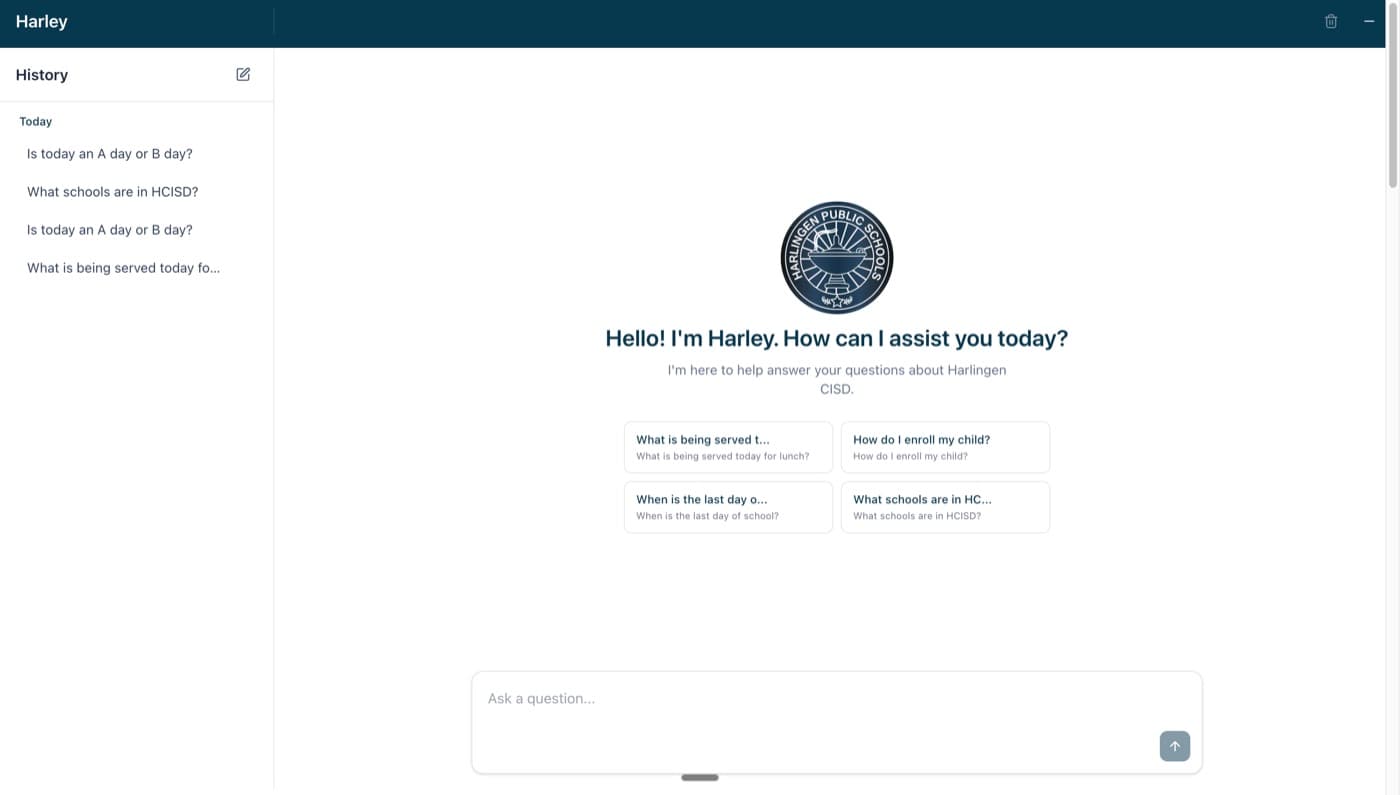
That's it. Each school's webmaster adds one line to their site, and Harley appears as a floating chat bubble in the bottom right corner. Click it, and a chat window opens. On mobile, it goes fullscreen for a better experience.
Under the hood, the widget creates an iframe pointing to the Harley application. Communication between the host site and the iframe happens through postMessage with origin validation. Only verified HCISD domains can embed Harley.
Each site gets its own appId with customized configuration: a unique welcome message, custom prompt starters relevant to that school, and deployment context that tells Harley which campus it's on. When someone chats with Harley on the Harlingen High School website, Harley knows it's deployed there and can tailor its responses accordingly.
The Tech Stack
I want to be completely transparent about what powers Harley, because I hope this helps other districts or developers building similar solutions.
AI Model: Gemini 3 Flash Preview as the primary model, with Gemini 2.5 Flash as a fallback. Both accessed through Google Vertex AI, not the consumer API. This means HCISD's data stays within Google's enterprise tenant. HCISD owns all the data. I don't own any of it.
Thinking Level: Set to LOW for both initial requests and skill continuation calls. This keeps costs minimal while still getting useful responses. The thinking budget on the fallback model is capped at 1,024 tokens. Low thinking, low cost, fast responses.
Backend: Firebase Cloud Functions v2 running on Node 20. The chat endpoint streams responses via Server-Sent Events (SSE). You see tokens appear in real-time, just like ChatGPT or any modern LLM interface.
Frontend: Next.js 16 with React 19, deployed on Vercel. The admin dashboard uses Azure AD authentication (HCISD Microsoft accounts).
Cost Optimization: This is the part I geek out about.
- Vertex AI Context Caching: The system prompt + all 355 skill summaries + tool definitions are cached at the Vertex AI level for 24 hours. Every request references the cached content instead of resending it. This slashes input token costs dramatically.
- Three-tier memory caching: Config, app config, skills, and cache metadata are cached in-process on Cloud Function instances (5-minute TTL). With 7 minimum instances always warm, most requests hit memory cache.
- Lazy skill loading: Only summaries in the system prompt. Full content loaded on-demand. Base token count stays low.
- Background operations: Session saving, message logging, safety checks, usage stats. All fire-and-forget. Nothing blocks the response stream.
- Firestore connection pre-warming: On instance boot, a dummy read establishes the gRPC connection so the first real request doesn't pay a ~700ms cold start penalty.
The result? Harley runs on pennies. The combination of context caching, lazy loading, low thinking level, and aggressive memory caching means the per-conversation cost is incredibly low. That's what makes a public chatbot on 30+ sites feasible.
Safety: Three Layers, Non-Blocking
A public chatbot used by students needs serious safety measures. I built a three-layer moderation system that runs in parallel without blocking the response stream:
- OpenAI Moderation API which detects harmful content categories
- LlamaGuard (via Groq), Meta's safety model for additional classification
- AI Intent Classification, a custom LLM-based classification with configurable categories
All three run simultaneously using Promise.allSettled(). If a violation is detected:
- 1st-3rd violation: Warning sent to the user (the conversation continues)
- 4th+ violation: User is blocked, the stream is interrupted, and the session gets flagged for admin review
There's also a distinction between "visible" flags (shown to the user) and "silent" flags (logged for admin review only). FingerprintJS tracks browser fingerprints for device-level accountability. The system even does IP geolocation via MaxMind for analytics.
What's Next
This launch is just the beginning. Here's what's on the roadmap:
Parallel Skill Loading: The biggest performance win waiting to happen. Loading multiple skills simultaneously instead of sequentially within each wave. Faster responses, richer context, happier users.
Facebook Integration: The Facebook scraper is already built and running on Cloud Run. It scrapes the HCISD Facebook page every 30 minutes, extracts posts with images and engagement data, and stores everything in Firestore. The next step is turning these posts into skills so Harley knows about the latest district announcements and events shared on social media.
LinkedIn Scraping: Similar to Facebook. I have plans to pull content from HCISD's LinkedIn presence. More social media context means Harley stays current on district news beyond just the website.
Choose HCISD Integration: The Choose HCISD website (choosehcisd.org) also launched recently, which I also built in efforts to increase enrollment. It's a public school choice site for families exploring all 30 HCISD campuses. Harley is already embedded there, and deeper integration is coming.
The Bigger Picture
I'm deploying AI infrastructure across an entire school district. Every piece of this, the skills pipeline, the change tracker, the wave-based loading, the multi-tenant deployment, the safety layers, was built because I believe technology should make information accessible to everyone.
A parent shouldn't have to dig through a website to find enrollment information. A student shouldn't have to hunt for their school's bell schedule. A community member shouldn't have to call the district office for something that's already published online. Harley puts all of that information one conversation away.
And the best part? It costs almost nothing to run. The skills protocol, context caching, and aggressive optimization mean HCISD gets an AI assistant on every site without a massive cloud bill. Building things that actually work at scale, for real people, at a cost that makes sense for a public school district.
This has been the most rewarding work of my career. Let's keep building.
Connect
Want to talk about building AI for your district? Interested in the skills protocol approach? Have questions about deploying chatbots at scale?
- Work Email: andres.gonzales@hcisd.org
- Personal Email: andrisgonzalis@gmail.com
- GitHub: @andres-ai-dev
Always happy to chat about AI, education technology, and making information accessible.